
MU Helper
Systems
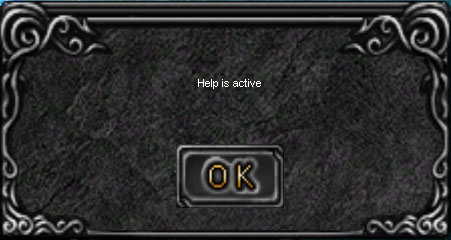
For all characters is MU helper. It play game while You are AFK. For more convenience you will get a special message:
Settings
You can get to the MU helper settings menu by pressing the icon at the top of the screen:
This will open the settings menu, where you will see two tabs - Hunting and Obtaining. First is the
Hunting
tab. Set up the distance, at which your character will attack monsters: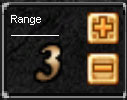
Next step - Configuration of automatic Healing potion use, need to check to activate:
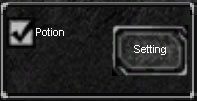
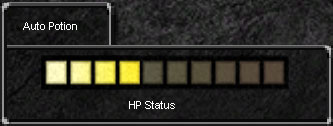
Clicking Setting, you can also set your HP, when the potion will be used. The lighter stripe is - the lower will be the minimum value of your HP to use Healing Potion, darker - on the contrary:
Next setting is - behavior of your character during enemy attacks.
Long-Distance Counter Attack
- counter attack on maximum possible distance.Original Position
- brings you back to the start position before turning MU Helper ON. Time (in seconds) to return to the starting position before turning MU helper ON is configured inDistance
box: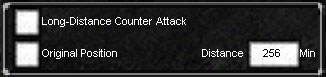
Combat skills setting menu:
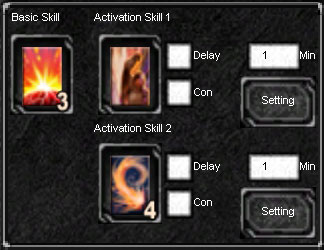
You can either put a single battle skill in the field of
Basic Skill
, or two combat skills inActivation Skill 1
andActivation Skill 2
. In case of choosing two skills you can also set the time and delay between using them. Check the Delay box and enter the time you want to switch on the 2nd skill in seconds (minimum value is 1, as seen on the picture). If you want to customize your auto attack when attacking monsters, then check the Con box, and then click Setting. Activate appropriate settings after that. Repeat this steps for 2nd skill as well. If you are playing as an Elf(SM) character, you will see some additional options:.jpg?mu)
Those are autobuff party settings. To activate this autobuff click Party box, to set up - click
Setting
button:.jpg?mu)
You can configure Heal autocast here, by activating Preference of Party Heal and putting the thumb into position you need(the lighter strip is the less HP party members need to be healed).
You can also configure all party members autobuff by activating Buff Duration for All Party Members and setting the Time Space of Casting autobuff time you need.
If you have buffs - activate the Buff Duration and set the icons of buffs you require in appropriate boxes:
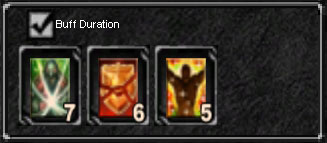
You need to know that autobuff fires every time, when its action is over. What is very convenient for sure.
Now lets get to
Obtaining
or autopicking tab setup: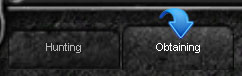
Obtaining mode configures by changing Range value, as well Hunting mode:
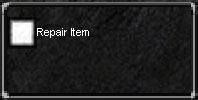
Also you can activate autorepair of your equipment, if required. MU helper repair is more expensive than blacksmith`s:
Next is the configure of all possible functions for autoPick:
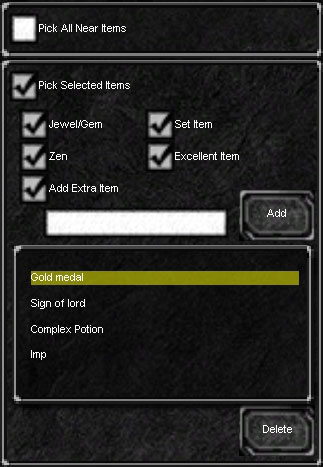
You can activate the
Pick All Near Items
function. In this case your character will pick up all items that drop near you. Or activatePick Selected Items function
, and check items you want and need to pick automatically. Also if you want to pick some special items, you need to checkAdd Extra Item
box, and enter an item you need manually.To save all MU helper settings you need to click Save Setting:
Launch
To start your clicker you need to click yellow play button, and your inventory shouldn`t be opened:
Mu Helper will take a small amount of zen, while working(about 5,000,000 zen). Also you need to know that Main Menu or inventory opening will stop MU helper.
 Loading...